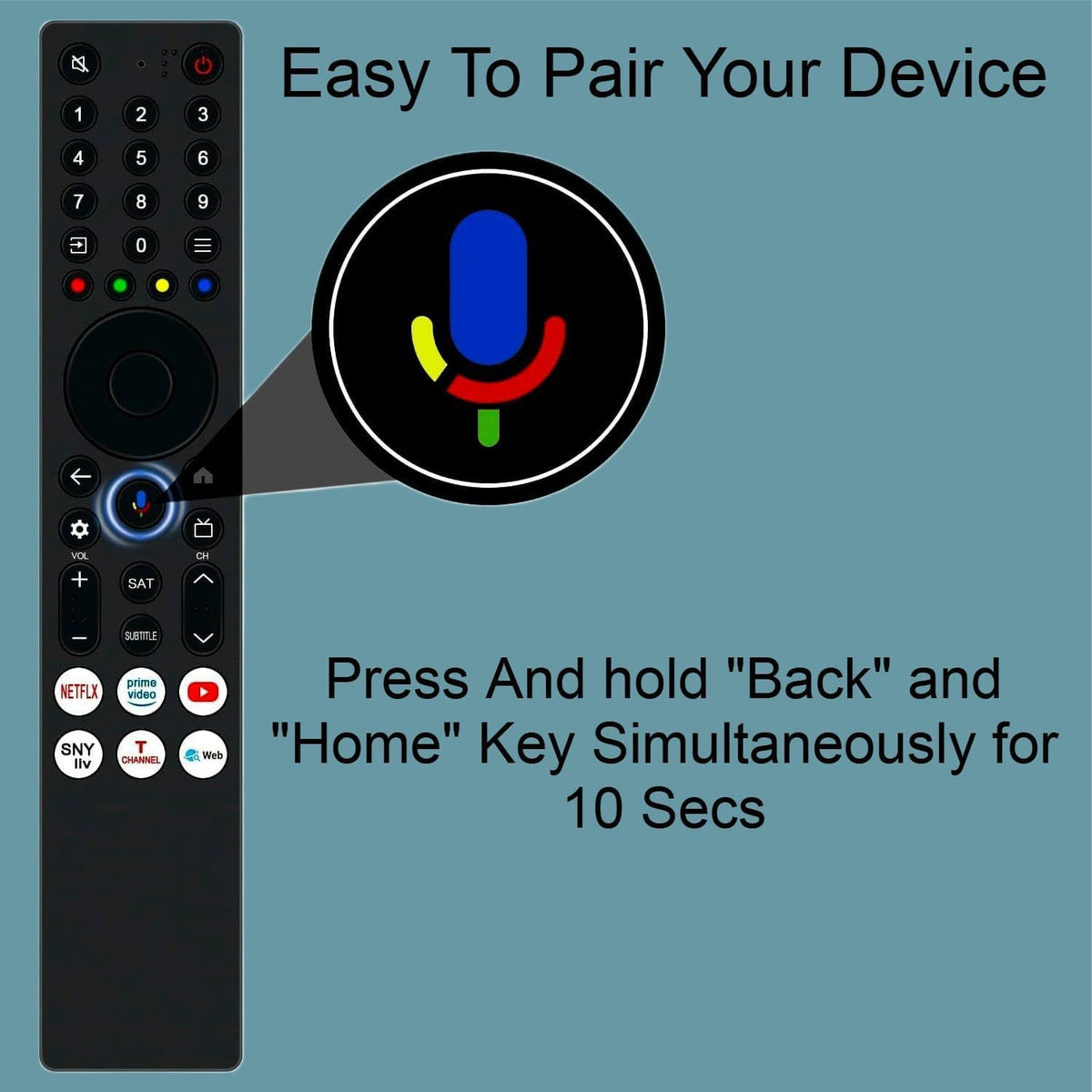
Brand: Woniry
TCL Google TV Voice Remote For 55P6L
TCL Google TV Voice Remote For 55P6L
- Pan India Fastest Delivery
- Premium Quality Remotes
87 in stock
Couldn't load pickup availability
This Woniry replacement remote works with TCL Google TV models from 2020 onwards that use Bluetooth voice control. The lead model is 55P6L, and the full compatibility list is below.
Compatible Models:
P-series: 55P6L, 43P71K
T-series: 43T6D, 55T6C, 55T8C
S-series: 50S5K
Q-series: 55Q6CS, 65Q6C
V-series: 32V4C, 32V5C, 40V5C, 43V6C, 55V6C, 75V6C
A-series: 55A400M
This is a Bluetooth Low Energy (BLE) remote, not an IR remote, so it must be paired with the TV before it works.
What is in the box: One remote control. Batteries not included (needs two AAA cells).
How to pair this remote with your TCL Google TV:
1. Switch on the TV using the original remote or the power button on the set, and stay on the home screen.
2. Insert two AAA batteries into the new remote (not included).
3. Hold the Home + Back buttons together for about 5 seconds until the LED on the remote starts blinking.
4. The TV will show 'Pair new remote' or detect the remote within 30 to 60 seconds.
5. Once the LED stops blinking and stays solid, the remote is paired. Test the volume button.
First-time tip: keep the remote within 30 cm of the TV during pairing. After pairing, it works from across the room.
If your TV is currently paired to a different remote, the new remote may need the TV to be in pairing mode (TV settings, Remotes and Accessories, Add new remote). Some Android TVs only allow one paired voice remote at a time.
The microphone button activates Google Assistant for voice search. The Netflix, Prime Video, and YouTube shortcut buttons work out of the box once paired.
FAQ:
Q: Will this work with my TCL Android TV from 2018?
A: Only if your original remote was a Bluetooth voice remote (had a mic button). Older TCL IR remotes are different hardware.
Q: Do I need to pair it every time I turn on the TV?
A: No. Pairing happens once. After that, the remote reconnects automatically when you press any button.
Q: Can I use two of these remotes with one TV?
A: Most TCL Google TVs allow up to two paired remotes at the same time. If you pair a third, the first one may unpair.
Q: What if the LED does not blink during pairing?
A: Check the battery orientation. If still nothing, hold Home + Menu instead of Home + Back (some early TCL Google TVs used that combo).
Q: Does the voice button work in Hindi?
A: Yes, if your TV language is set to Hindi in Android settings. Google Assistant responds in the TV system language.