Brand: Woniry
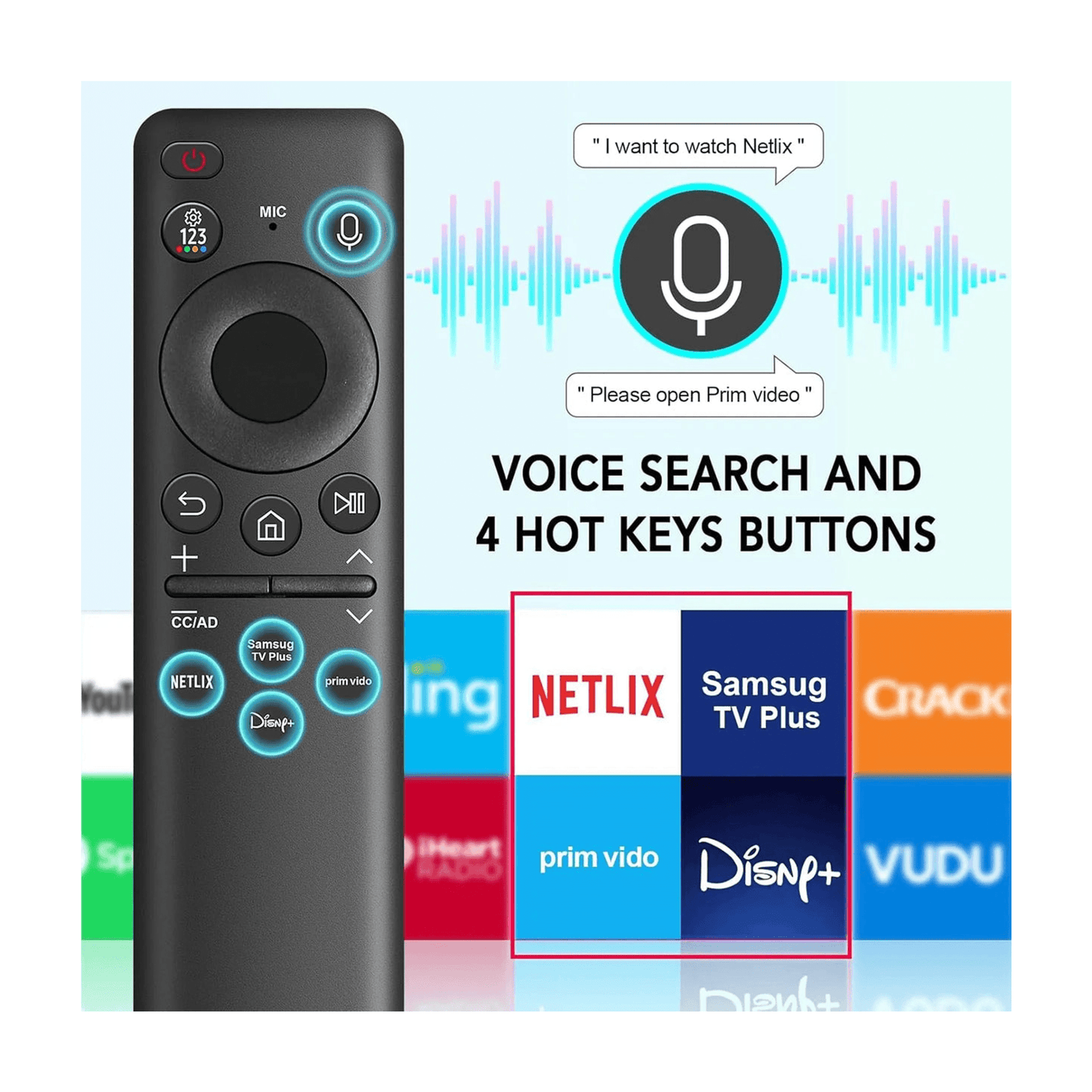
Samsung QLED / UHD Smart TV Universal Voice Remote
Samsung QLED / UHD Smart TV Universal Voice Remote
- Pan India Fastest Delivery
- Premium Quality Remotes
75 in stock
Couldn't load pickup availability
This Woniry voice remote replaces the Samsung BN59-01312A and works with QLED, UHD, Crystal 4K, and Neo QLED Smart TVs from 2019 to 2022.
Compatible Models:
QN43 series: QN43LS03AAFXZA, QN43Q60AAFXZA
QN50 series: QN50LS03AAFXZA, QN50Q60AAFXZA, QN50QN90AAFXZA
QN55 series: QN55LS03AAFXZA, QN55Q60AAFXZA, QN55Q70AAFXZA, QN55Q80AAFXZA, QN55Q8DAAFXZA, QN55QN85AAFXZA, QN55QN90AAFXZA
QN60 series: QN60Q60AAFXZA
QN65 series: QN65LS03AAFXZA, QN65Q60AAFXZA, QN65Q70AAFXZA, QN65Q80AAFXZA, QN65QN800AFXZA, QN65QN85AAFXZA, QN65QN900AFXZA, QN65QN90AAFXZA
QN70 series: QN70Q60AAFXZA
QN75 series: QN75LS03AAFXZA, QN75Q60AAFXZA, QN75Q70AAFXZA, QN75Q80AAFXZA, QN75QN800AFXZA, QN75QN85AAFXZA, QN75QN900AFXZA
UA43 series: UA43AU8000KLXL
Also works with most Samsung Smart TVs that originally shipped with a voice remote from 2019 onward.
What is in the box: the remote. Batteries not included. You need two AAA cells.
How to pair this remote with your Samsung TV:
1. Switch on the TV using the original remote or the power button on the set, and stay on the home screen.
2. Insert two AAA batteries into the new remote (not included).
3. Hold the Return + Play/Pause buttons together for about 5 seconds until the LED on the remote starts blinking.
4. The TV will show 'Pair new remote' or detect the remote within 30 to 60 seconds.
5. Once the LED stops blinking and stays solid, the remote is paired. Test the volume button.
First-time tip: keep the remote within 30 cm of the TV during pairing. After pairing, it works from across the room.
This is a Bluetooth Low Energy (BLE) remote, not an IR remote, so it must be paired with the TV before it works. The microphone button activates voice search when you hold it down and speak. If your TV is currently paired to a different remote, the new remote may need the TV to be in pairing mode (TV settings, Remotes and Accessories, Add new remote). Some Android TVs only allow one paired voice remote at a time, but Samsung Tizen OS typically supports two.
FAQ
Q: Will this work with my Samsung Frame or Serif TV?
A: Yes, if it shipped with a voice remote. The Frame (LS03A series) and Serif TVs from 2019 onward use the same pairing method.
Q: Do I need to point it at the TV like an old remote?
A: No. Bluetooth remotes work line-of-sight free once paired. You can control the TV from another room if the signal reaches.
Q: My TV says 'Unable to pair remote' after step 3. What now?
A: Try this: go to TV Settings, General, External Device Manager, Device Connection Manager, Remote Management, and select 'Add Remote'. Then repeat the pairing steps.
Q: Does the number pad work for entering channel numbers?
A: Yes, if your TV has live TV or cable input configured. For streaming-only setups, the number pad may do nothing.
Q: Can I use this and my old remote at the same time?
A: Usually yes. Samsung TVs typically allow two paired remotes. If one stops responding, unpair it in the TV settings and pair the new one.