Brand: Woniry
Samsung Smart TV BN59-01385A Solar Voice Remote (2021-2022)
Samsung Smart TV BN59-01385A Solar Voice Remote (2021-2022)
- Pan India Fastest Delivery
- Premium Quality Remotes
44 in stock
Couldn't load pickup availability
This Woniry replacement remote pairs with Samsung Smart TVs from 2021 and 2022 that originally shipped with the BN59-01385A solar voice remote. It is a Bluetooth Low Energy (BLE) remote, not an IR remote, so it must be paired with the TV before it works.
Compatible Models:
Q series: Q60B, Q70B, Q80B
QN series: QN85B, QN90B, QN95B, QN800B, QA50LS03AAKLXL
Lifestyle: The Frame (2021-2022)
Other: RMCSPB1EP1, TM2280E
Also works with these remote codes: BN59-01312A, BN59-01312D, BN59-01312E, BN59-01312F, BN59-01312G,BN59-01312K, BN59-01312L, BN59-01312M, BN59-01312X, BN59-01312U.
What is in the box: the remote (no batteries needed, solar-powered), a USB-C charging cable (50 cm), and a printed quick-start card.
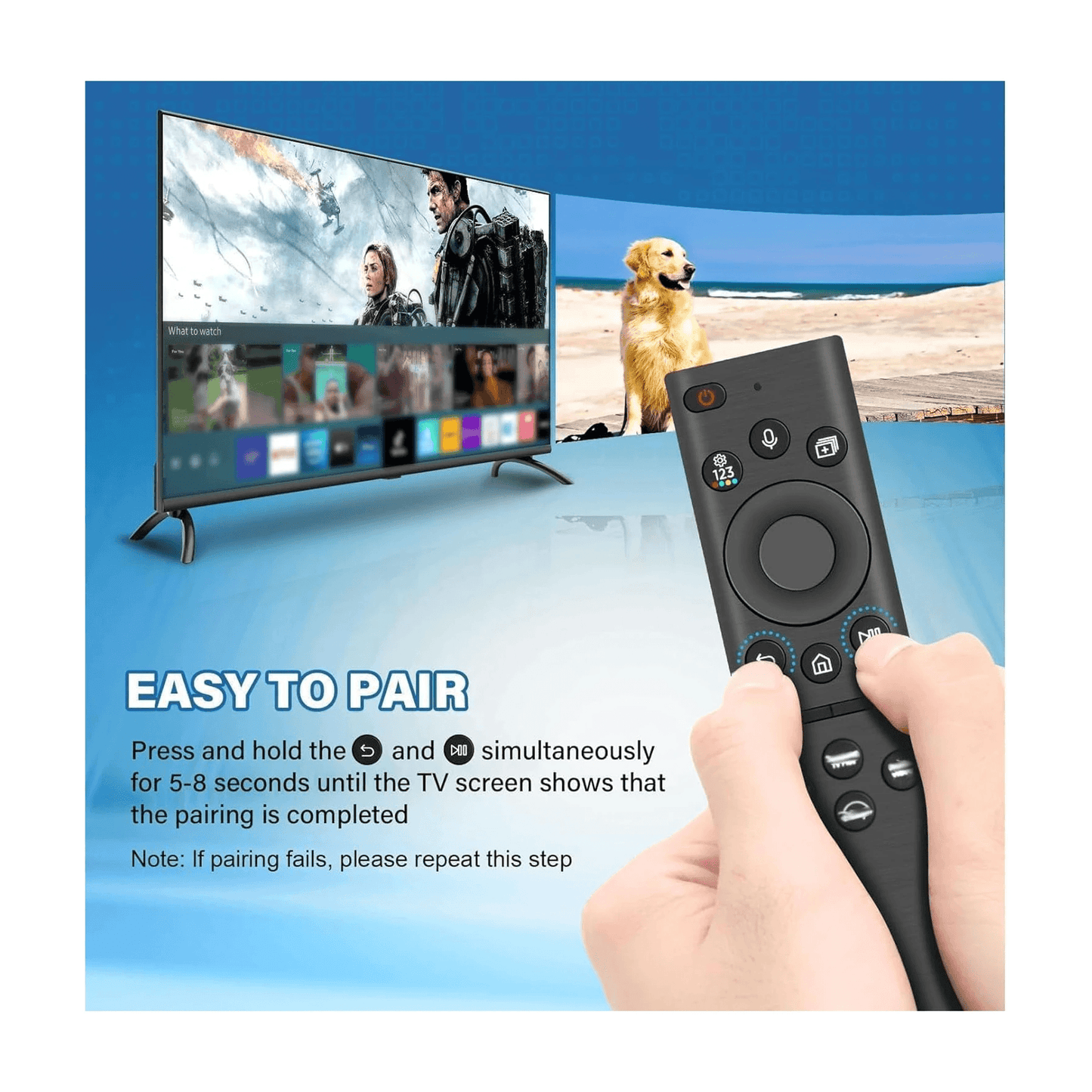
How to pair this remote with your Samsung TV:
1. Switch on the TV using the original remote or the power button on the set, and stay on the home screen.
2. Hold the Return + Play/Pause buttons together for about 5 seconds until the LED on the remote starts blinking.
3. The TV will show 'Pair new remote' or detect the remote within 30 to 60 seconds.
4. Once the LED stops blinking and stays solid, the remote is paired. Test the volume button.
First-time tip: keep the remote within 30 cm of the TV during pairing. After pairing, it works from across the room.
Power: the remote charges from indoor light (solar cells on the back) or via the USB-C port on the bottom edge. No disposable batteries. In typical indoor lighting, a full charge lasts about two months. If stored in a dark drawer for weeks, plug it in for 20 minutes before first use.
Buttons: dedicated Netflix, Prime Video, Disney+, Samsung TV Plus. Microphone for Bixby voice search. Channel, volume, play controls, numeric keypad, home, back.
Finicky note: If your TV is currently paired to a different remote, the new remote may need the TV to be in pairing mode (TV settings, Remotes and Accessories, Add new remote). Some Android TVs only allow one paired voice remote at a time. Also, this remote does not control external soundbars or set-top boxes unless they are ARC-connected through the TV.
FAQ
Q: Does this work with Samsung TVs from 2019 or 2020?
A: No. This model is for 2021-2022 Samsung Smart TVs (Q, QN, The Frame, OLED series from those years). Older models use BN59-01259B or similar IR remotes.
Q: Can I use this remote while it is charging via USB-C?
A: Yes. Plug it into any USB-C phone charger and it works while charging.
Q: Why won't my TV detect the remote during pairing?
A: Make sure the TV is on the home screen, not an app. Hold Return + Play/Pause for 5 full seconds. If it still fails, go to TV Settings, Remotes and Accessories, and select 'Add new remote' manually.
Q: Does the solar charging work under LED bulbs?
A: Yes, but slower than sunlight. A desk lamp 30 cm away for a few hours each day is enough to maintain charge.
Q: Is the Bixby button the same as Google Assistant?
A: No. Samsung Smart TVs use Bixby for voice. If you press the mic button, the TV will open Bixby voice search, not Google Assistant.