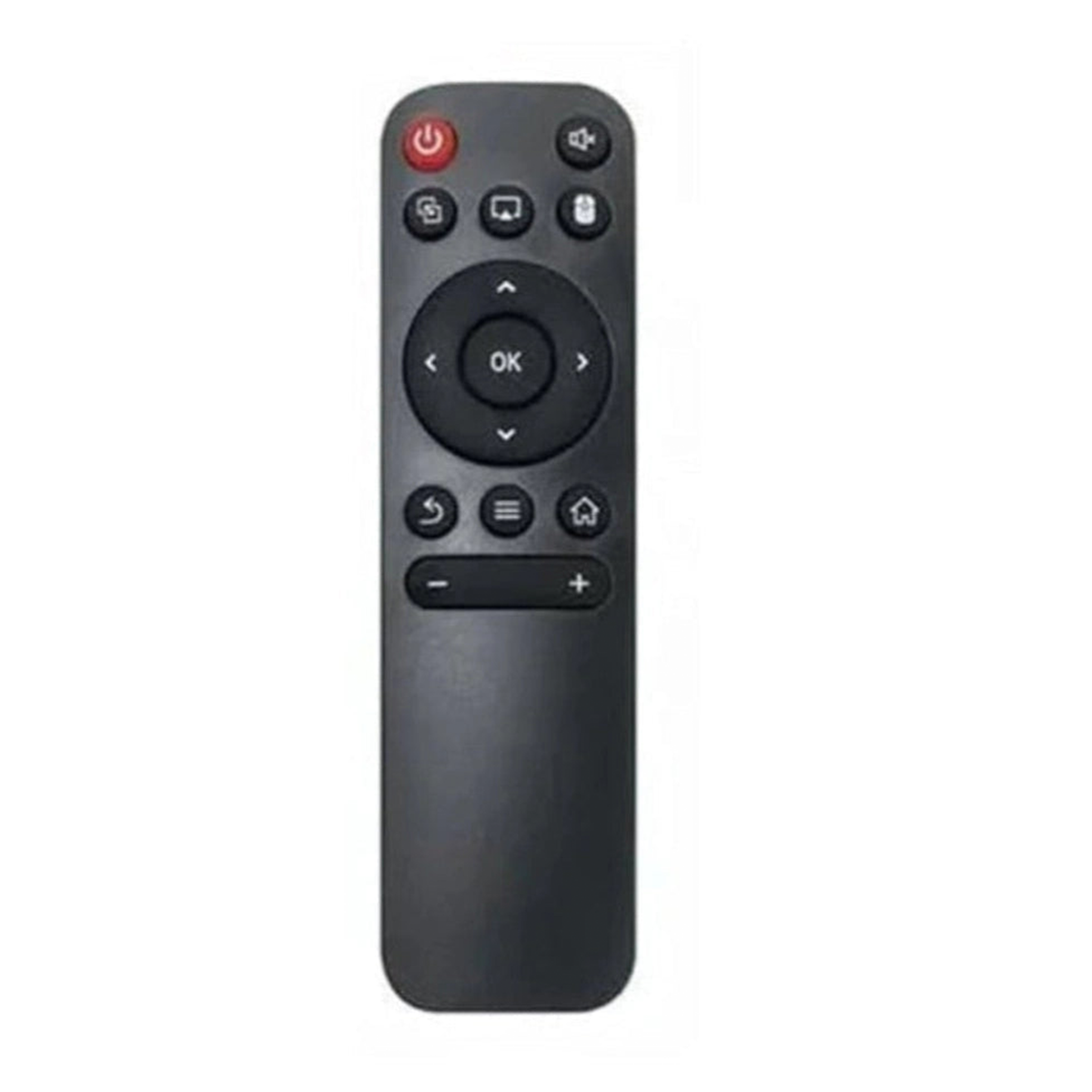
Brand: Woniry
Lifelong Lightbeam LLPJH20 / Truepixel Projector Remote Replacement
Lifelong Lightbeam LLPJH20 / Truepixel Projector Remote Replacement
- Pan India Fastest Delivery
- Premium Quality Remotes
18 in stock
Couldn't load pickup availability
This Woniry replacement remote works with Lifelong Lightbeam and Truepixel projectors, specifically the LLPJH20 model.
Compatible Models:
LLPJH20 (Lifelong Lightbeam), Truepixel series projectors
What is in the box: one IR remote. Batteries not included. You need two AAA cells.
How to use it:
Pop in two AAA batteries (not included). Point at the projector sensor and press a button. That is the whole setup.
The button layout matches the original. Power, source, volume, menu, navigation arrows, and playback controls are all in the same places. Range is about 8 to 10 meters in a clear line of sight.
One honest note: if your projector is ceiling-mounted and the sensor faces the screen instead of the audience, you may need to point the remote at the sensor location, not the lens. Most Lifelong projectors have the IR sensor on the top panel near the vents.
FAQ:
Q: Will this work with other Lifelong projector models?
A: It works with Lightbeam and Truepixel series. If your model code starts with LLPJ, it should be compatible. Check the button count on your original remote first.
Q: Does it need any setup or pairing?
A: No. This is an IR remote. Insert batteries and use it immediately.
Q: What if some buttons do not respond?
A: Check battery orientation and replace weak cells. IR remotes need a clear path to the sensor, so remove any obstacles between the remote and projector.
Q: Is the remote body the same size as the original?
A: Very close. The button spacing and overall length are within 5 mm of the Lifelong original.