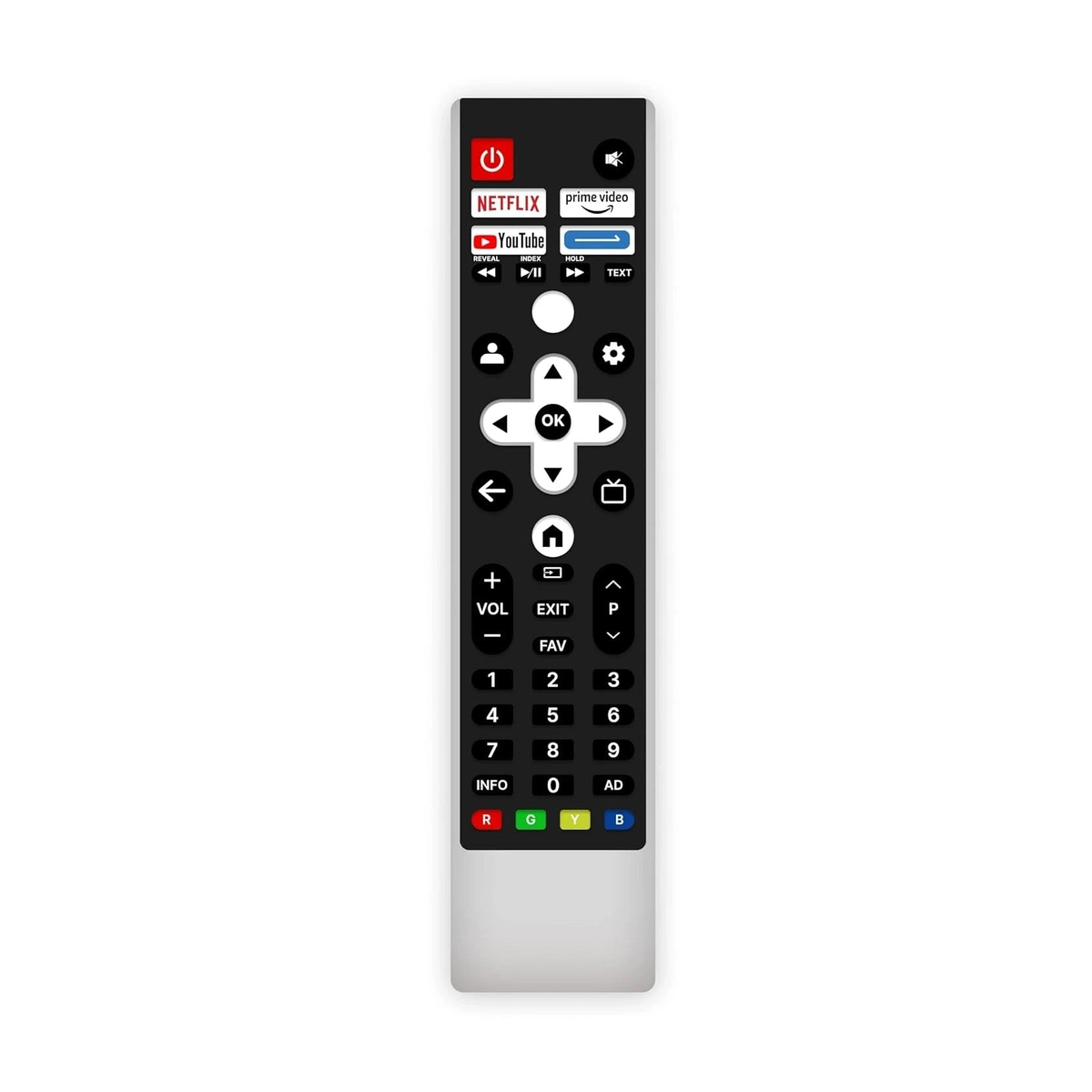
Brand: Woniry
Blaupunkt 50QD7010 Google TV Bluetooth Voice Replacement Remote by Woniry
Blaupunkt 50QD7010 Google TV Bluetooth Voice Replacement Remote by Woniry
- Ships across India · typically 1 to 4 days
- COD · UPI & cards at checkout
- WhatsApp fit-check before you buy
In stock
Couldn't load pickup availability
Why buy from Woniry
- COD available · UPI & cards at checkout
- Ships across India · typically 1 to 4 days after dispatch
- WhatsApp fit-check (+91 6354583783): send a photo of your old remote
- 7-day DOA / wrong-item / fit-mismatch support per our Refund Policy
In stock orders typically ship the next business day.
This Woniry replacement remote fits the Blaupunkt 50QD7010 Google TV and other Blaupunkt Android TV models from 2022 onwards.
Compatible Models:
50QD7010, etc..
What is in the box: one remote. Two AAA batteries are not included. You will need fresh alkaline cells for pairing.
How to pair this remote with your Blaupunkt Google TV:
1. Switch on the TV using the original remote or the power button on the set, and stay on the home screen.
2. Insert two AAA batteries into the new remote (not included).
3. Hold the Home and Back buttons together for about 5 seconds until the LED on the remote starts blinking.
4. The TV will show 'Pair new remote' or detect the remote within 30 to 60 seconds.
5. Once the LED stops blinking and stays solid, the remote is paired. Test the volume button.
First-time tip: keep the remote within 30 cm of the TV during pairing. After pairing, it works from across the room.
This is a Bluetooth Low Energy (BLE) remote, not an IR remote, so it must be paired with the TV before it works. If your TV is currently paired to a different remote, the new remote may need the TV to be in pairing mode (TV settings, Remotes and Accessories, Add new remote). Some Android TVs only allow one paired voice remote at a time.
The microphone button activates Google Assistant for voice search. The remote also has dedicated buttons for Netflix, YouTube, Prime Video, and Hotstar.
FAQ:
Q: Does this work without pairing?
A: No. All Bluetooth voice remotes must be paired. The steps are above.
Q: Will this remote work with older Blaupunkt non-smart TVs?
A: No. This is for Android TV models only, 2022 onwards.
Q: My TV already has a paired remote. Will this one interfere?
A: Some Blaupunkt TVs allow multiple paired remotes, but if the new one does not connect, unpair the old one first in TV settings.
Q: What if the LED never blinks during pairing?
A: Check that the batteries are fresh and inserted the right way. Try again with the TV on the home screen, not an app.
Will this remote fit my model?
Will this remote fit my model?
Match your old remote’s button layout and model number with the photos on this page. Brand name alone is not enough. Send a clear photo of your current remote on WhatsApp +91 6354583783 before ordering if you are unsure.
Is this IR, Bluetooth, or voice?
Is this IR, Bluetooth, or voice?
Most TV and AC remotes on Woniry are infrared (IR) replacements and do not need pairing. Voice or Bluetooth listings say so in the title and description. Read the product details for your model. If your TV needs a Bluetooth/voice remote, choose a listing that clearly mentions voice or Bluetooth.
Are batteries included?
Are batteries included?
Batteries are usually not included. Use the same battery type as your original remote (often AAA or AA). Insert fresh batteries before testing the replacement.
What if it does not work or does not fit?
What if it does not work or does not fit?
You have 7 days from delivery for DOA, wrong item, or fit mismatch after photo guidance. Contact us on WhatsApp or email with your order number and photos before sending anything back. Full details are in our Refund Policy.