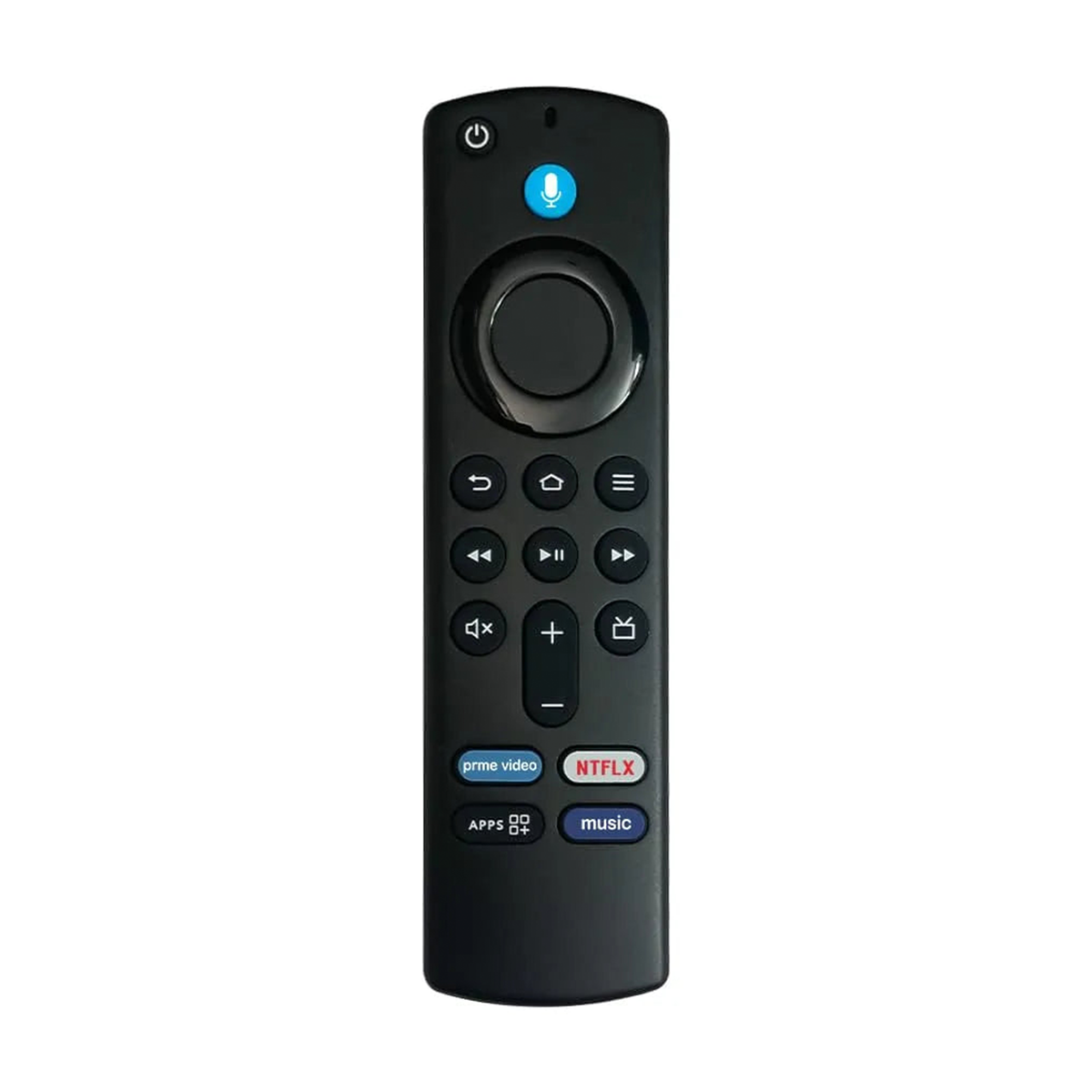
Amazon Fire TV Stick 3rd Generation Voice Remote For L5B83G
Rs. 499.00Rs. 899.00
Brand: Woniry
Amazon Fire TV Stick 3rd Generation Voice Remote For L5B83G
Amazon Fire TV Stick 3rd Generation Voice Remote For L5B83G
Regular price
Rs. 499.00 INR
Regular price
Rs. 899.00 INR
Sale price
Rs. 499.00 INR
- Pan India Fastest Delivery
- Premium Quality Remotes
95 in stock
Quantity
Couldn't load pickup availability
This Woniry replacement remote works with Amazon Fire TV Stick 3rd Generation and later devices that use Bluetooth Low Energy (BLE) pairing.
Compatible Models:
Fire TV Stick 3rd Gen: L5B83G, S3L46N
Fire TV Stick 4K (2018 onwards)
Fire TV Stick HD (2020 release)
Fire TV Cube 1st Gen
Fire TV Cube 2nd Gen
This is a Bluetooth Low Energy (BLE) remote, not an IR remote, so it must be paired with the Fire TV Stick before it works.
What is in the box: one remote. Two AAA batteries are not included.
How to pair this remote with your Amazon Fire TV Stick:
1. Plug in your Fire TV Stick and stay on the home screen.
2. Insert two AAA batteries into the new remote.
3. Hold the Home button for about 10 seconds until the LED on the remote starts blinking rapidly.
4. The Fire TV will show 'New remote detected' or 'Remote pairing in progress' within 30 to 60 seconds.
5. Once the LED stops blinking and stays solid, the remote is paired. Test the voice button by pressing it and saying 'Open Netflix.'
First-time tip: keep the remote within 30 cm of the Fire TV Stick during pairing. After pairing, it works from across the room.
If your Fire TV Stick is currently paired to a different remote, the new remote may need the Fire TV to be in pairing mode (Settings, Controllers & Bluetooth Devices, Amazon Fire TV Remotes, Add New Remote). Some Fire TV devices only allow one paired voice remote at a time.