Xiaomi F Series L32MB-FIN Fire TV Voice Remote (Bluetooth)
Rs. 1,149.00Rs. 2,229.00
Brand: Woniry
Xiaomi F Series L32MB-FIN Fire TV Voice Remote (Bluetooth)
Xiaomi F Series L32MB-FIN Fire TV Voice Remote (Bluetooth)
Regular price
Rs. 1,149.00 INR
Regular price
Rs. 2,229.00 INR
Sale price
Rs. 1,149.00 INR
- Pan India Fastest Delivery
- Premium Quality Remotes
12 in stock
Quantity
Couldn't load pickup availability
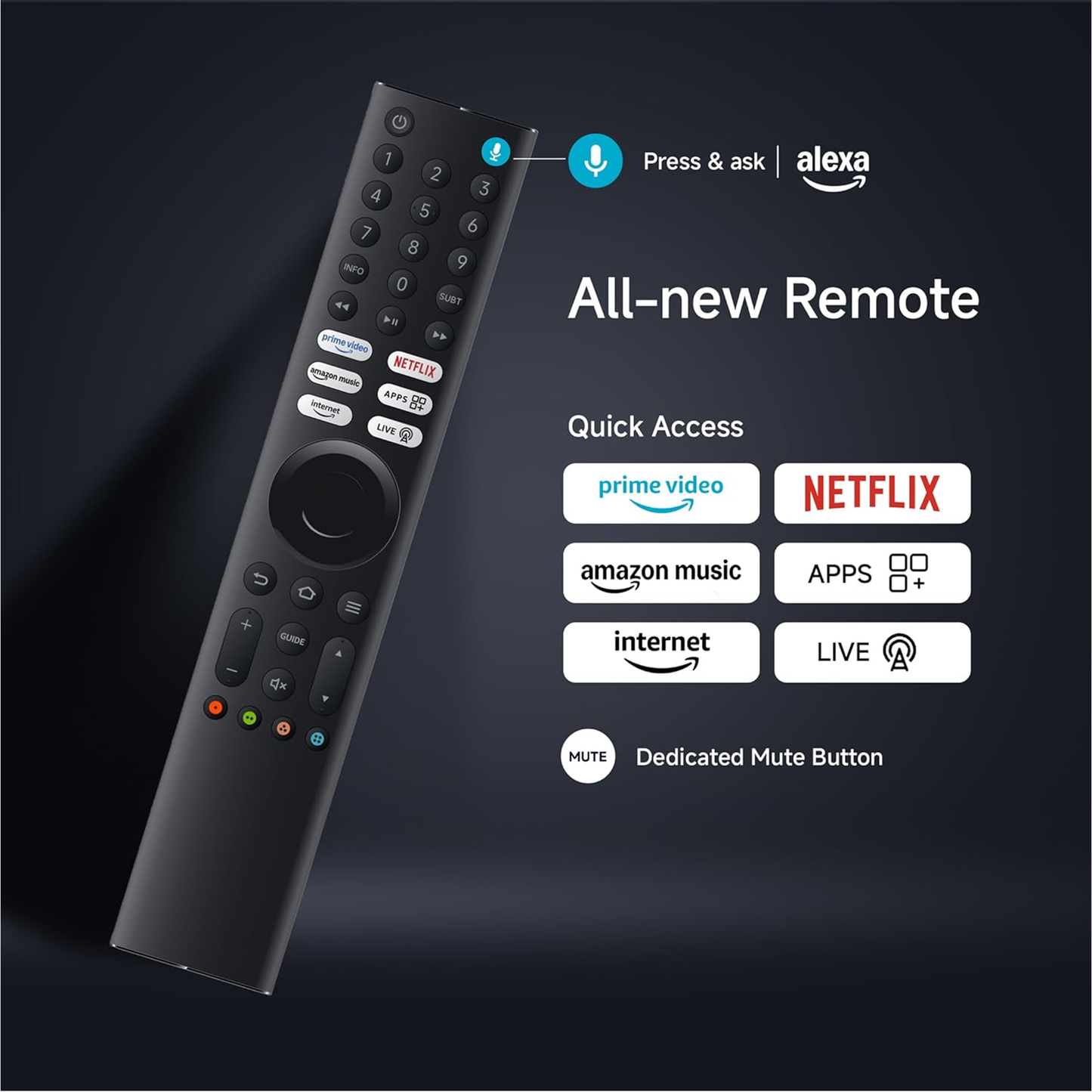
This Woniry Bluetooth voice remote replaces the original controller for Xiaomi F Series Fire TV models, specifically the L32MB-FIN 32-inch variant and its larger siblings.
Compatible Models:
L32MB-FIN (32 inch HD Ready Fire TV)
L43MB-FIN (43 inch Fire TV)
L55MB-FIN (55 inch Fire TV)
This is a Bluetooth Low Energy (BLE) remote, not an IR remote, so it must be paired with the TV before it works. Once paired, you can aim it in any direction and the TV responds. The voice button on the remote lets you speak search queries instead of typing them character by character.
What is in the box: one Bluetooth remote. Two AAA batteries are not included. The remote measures about 15 cm in length, weighs 50 grams without batteries, and has a textured grip on the back.
How to pair this remote with your Xiaomi Fire TV:
1. Switch on the TV using the original remote or the power button on the set, and stay on the home screen.
2. Insert two AAA batteries into the new remote (not included).
3. Hold the Home + Back buttons together for about 5 seconds until the LED on the remote starts blinking.
4. The TV will show 'Pair new remote' or detect the remote within 30 to 60 seconds.
5. Once the LED stops blinking and stays solid, the remote is paired. Test the volume button.
First-time tip: keep the remote within 30 cm of the TV during pairing. After pairing, it works from across the room.
If your TV is currently paired to a different remote, the new remote may need the TV to be in pairing mode (TV settings, Remotes and Accessories, Add new remote). Some Android TVs only allow one paired voice remote at a time. Xiaomi Fire TV models typically support multiple paired remotes, but older firmware versions from 2023 had a one-remote limit. If pairing fails, unpair the old remote from the TV settings first, then try again.
The voice button works with Alexa on Fire TV. Press and hold, speak your request, then release. Most Xiaomi Fire TV apps (Prime Video, Netflix, YouTube) respond to voice commands for titles and genres. The number pad and quick-launch buttons (Prime Video, Netflix, YouTube, Disney+) are pre-mapped and cannot be reprogrammed.
FAQ:
Q: Does this remote work with older Xiaomi Mi TV models?
A: No. This remote is for Xiaomi F Series Fire TV models only (L32MB-FIN, L43MB-FIN, L55MB-FIN). Mi TV 4A, 4X, 5A, and PatchWall models use a different Bluetooth protocol and will not pair with this remote.
Q: Can I use this remote without pairing it?
A: No. Bluetooth remotes must be paired. If you want a remote that works instantly without pairing, look for an IR remote instead.
Q: How long do the batteries last?
A: About 8 to 10 months with typical daily use (2 to 3 hours of TV per day). Voice search drains the battery slightly faster than button presses.
Q: Will this remote control the volume on my soundbar?
A: Only if your soundbar is connected via HDMI ARC or optical cable and your TV settings are configured to pass volume commands through CEC. The remote itself sends volume commands to the TV, not directly to external speakers.
Q: The LED blinks but the TV does not detect the remote. What now?
A: Check that the TV firmware is up to date (Settings, My Fire TV, About, Check for Updates). Restart the TV. If the problem continues, the TV may already have the maximum number of paired devices (Fire TV allows up to 7 Bluetooth devices total, including game controllers and keyboards). Remove an unused device from the Bluetooth settings and try pairing again.