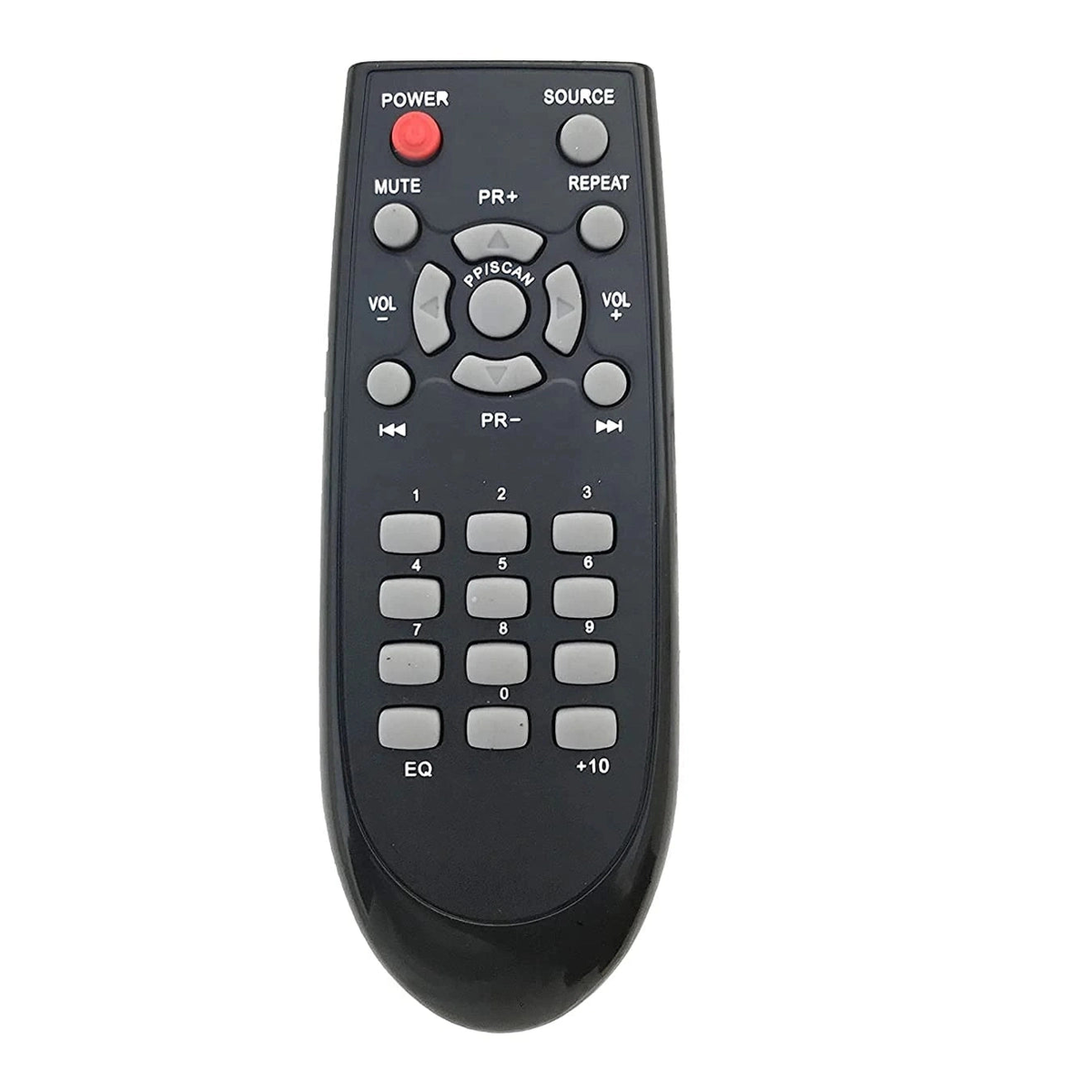
Brand: Woniry
Philips DSP475U Home Theatre Soundbar Replacement Remote by Woniry
Philips DSP475U Home Theatre Soundbar Replacement Remote by Woniry
- Ships across India · typically 1 to 4 days
- COD · UPI & cards at checkout
- WhatsApp fit-check before you buy
In stock
Couldn't load pickup availability
Why buy from Woniry
- COD available · UPI & cards at checkout
- Ships across India · typically 1 to 4 days after dispatch
- WhatsApp fit-check (+91 6354583783): send a photo of your old remote
- 7-day DOA / wrong-item / fit-mismatch support per our Refund Policy
In stock orders typically ship the next business day.
This Woniry IR remote replaces the original controller for the Philips DSP475U home theatre soundbar. Point and click.
Compatible Models:
DSP475U, etc..
What is in the box: one remote. Batteries sold separately (two AAA cells needed).
How to use it:
Pop in two AAA batteries (not included). Point at the device sensor and press a button. That is the whole setup.
The buttons mirror the original layout: power, volume, input source, playback controls, and sound modes. The remote talks to the soundbar via infrared (IR), so you need a clear line of sight between the remote and the front panel of the unit. If something blocks the sensor, the command will not go through.
Battery life runs about six to eight months with normal daily use. When the range starts to drop or buttons become sluggish, swap in fresh AAA cells.
One honest note: if your Philips soundbar model number is different from DSP475U, this remote will not work. Double-check the model sticker on the back or bottom of your unit before ordering. The DSP475U was sold in India around 2015 to 2017. If you bought a Philips soundbar after 2018, the model code is likely different.
FAQ:
Q: Do I need to program this remote?
A: No. Insert batteries, aim, and use. Zero setup.
Q: Will this work with Philips TVs?
A: No. This is made for the DSP475U home theatre soundbar only, not TVs.
Q: What if the volume button does not respond?
A: Check the batteries are seated correctly with the right polarity. Wipe the IR lens on the remote tip with a dry cloth. Make sure nothing is blocking the soundbar sensor.
Q: Can I use rechargeable AAA batteries?
A: Yes, rechargeable AAAs work fine. Voltage is slightly lower (1.2V vs 1.5V), but the remote will function normally.
Will this remote fit my model?
Will this remote fit my model?
Match your old remote’s button layout and model number with the photos on this page. Brand name alone is not enough. Send a clear photo of your current remote on WhatsApp +91 6354583783 before ordering if you are unsure.
Is this IR, Bluetooth, or voice?
Is this IR, Bluetooth, or voice?
Most TV and AC remotes on Woniry are infrared (IR) replacements and do not need pairing. Voice or Bluetooth listings say so in the title and description. Read the product details for your model. If your TV needs a Bluetooth/voice remote, choose a listing that clearly mentions voice or Bluetooth.
Are batteries included?
Are batteries included?
Batteries are usually not included. Use the same battery type as your original remote (often AAA or AA). Insert fresh batteries before testing the replacement.
What if it does not work or does not fit?
What if it does not work or does not fit?
You have 7 days from delivery for DOA, wrong item, or fit mismatch after photo guidance. Contact us on WhatsApp or email with your order number and photos before sending anything back. Full details are in our Refund Policy.